Bidirectional Communication with Web Service API
Actions Express provides a Web Service API that allows external systems to send and receive messages. This guide explains how to establish bidirectional communication between an external REST client and the Web Service API.
Actions Express provides a command-line tool available our our GitHub repository. This streamlines HTTP POST and GET requests to your Actions Express servers and can be integrated into custom scripts or applications. It is compatible with Linux, BSD, macOS, and UNIX distributions that include Perl. Windows users can use a precompiled executable or install Strawberry Perl.
Web Service Module Requirements
To use the Web Service API, you must have a licensed, deployed Actions Express Web Service Module. This module is available under the Integrations section of the Modules menu. For installation and configuration instructions, refer to the Web Service Integration Module Page
Triggering Workflows Remotely
For instructions on triggering a Workflow remotely using the Web Service API, visit the detailed guide.
Creating a Workflow for Bidirectional Communication
The example below demonstrates a simple Workflow triggered via a Web Service API request. The Workflow prompts the requester for a hostname to ping and returns the results.
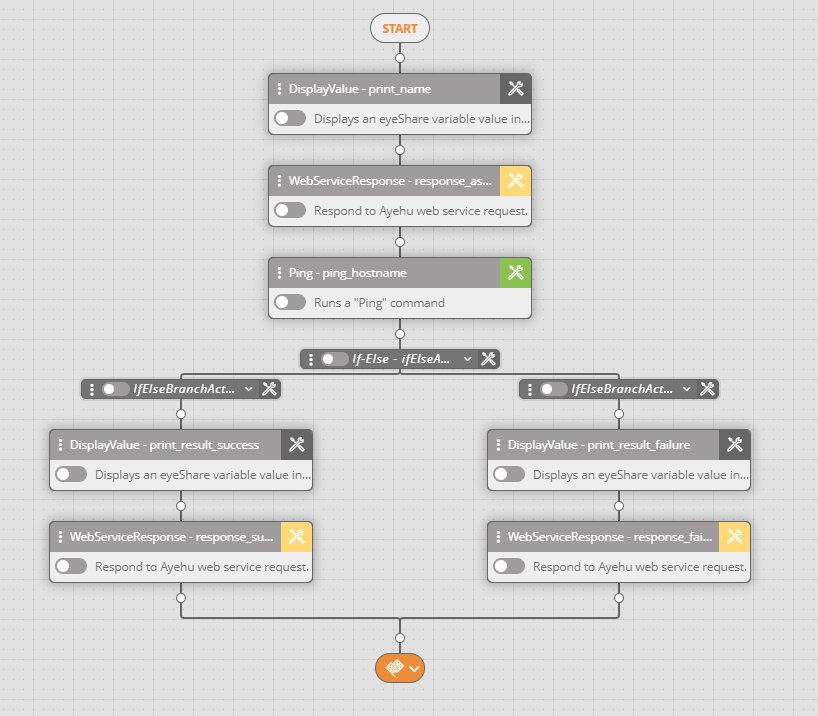
WebServiceResponse Activity
The WebServiceResponse activity is configured with:
%name_first%: Captures input from the POST request.%sessionid%: Matches the session ID key from the POST request.
To ensure efficient responses:
- Set the Response field to
MessageOnlyto return only relevant data. - Enable Wait for input
Yesto pause the Workflow for requester input. - Configure the timeout duration via the clock icon in the Activity settings.
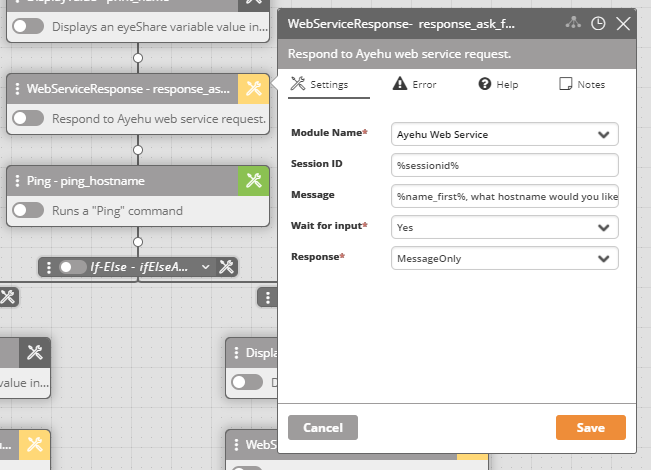
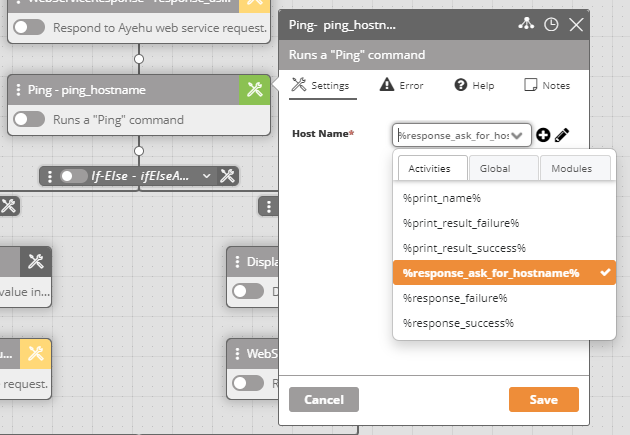
In this example, the WebServiceResponse activity, named response_ask_for_hostname, provides the hostname input for the Ping Activity.
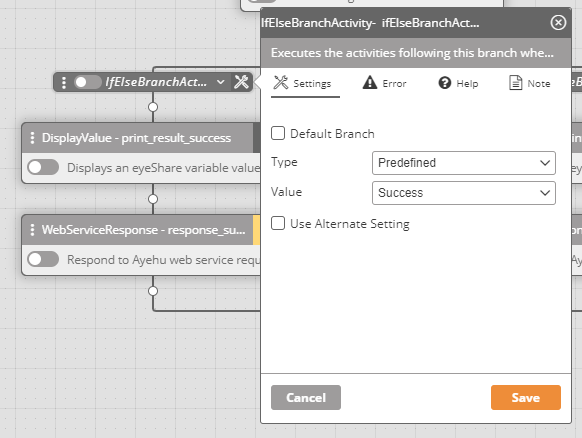
The If-Else branch evaluated the Ping Activity output as either Success or Failure, returning an appropriate response.
The final WebServiceResponse activity sends the response using %sessionid% and the results from response_ask_for_hostname.
Interacting with the Workflow via the Web Service API
POST Request
The screenshot below shows a POST request sent via SoapUI to the Web Service API in Actions Express. A SessionID variable is returned, indicating that the Workflow has been triggered.
The %name_first% and %sessionid% variables are referenced as configured in the Workflow setup.
GET Request
The following screenshot shows a GET request, using the SessionID as the query parameter and the Secret password as authentication (auth).
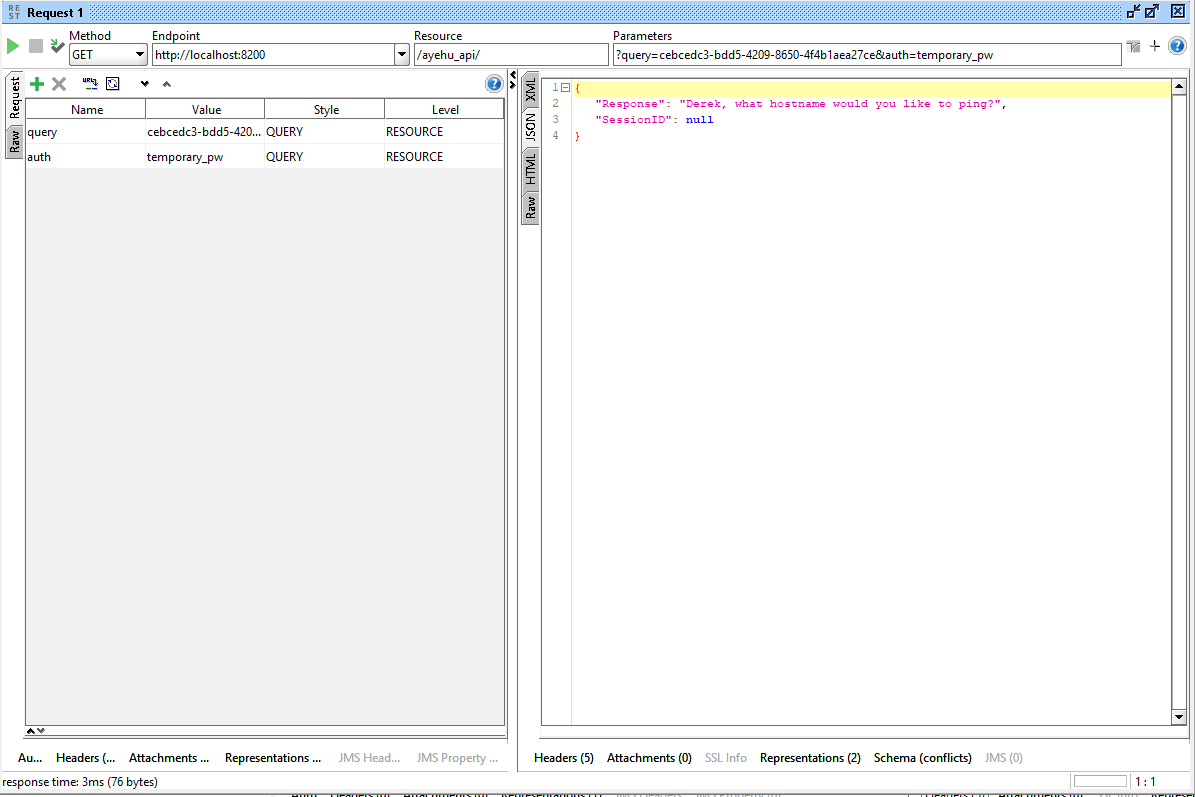
The WebServiceResponse activity returns a message prompting the requester for a hostname to ping.
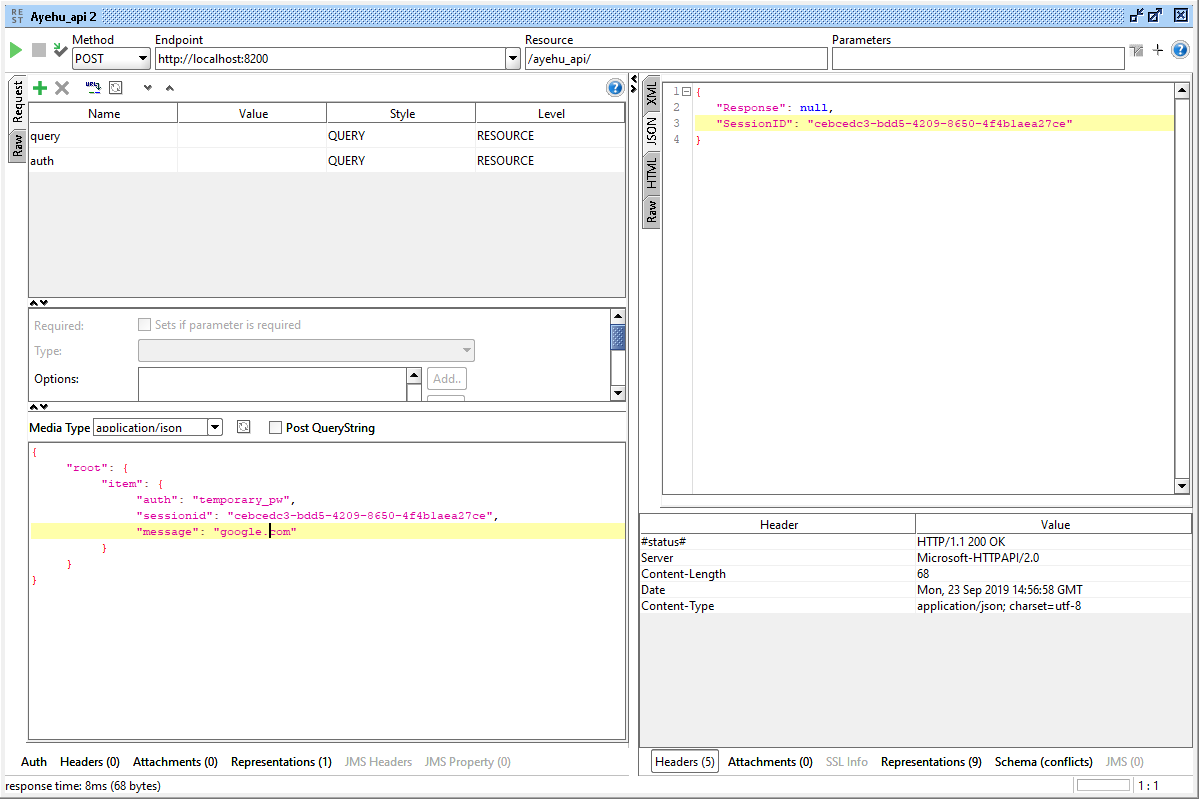
Next, a POST request is made using the same session ID, providing the hostname (google.com) in the message field.
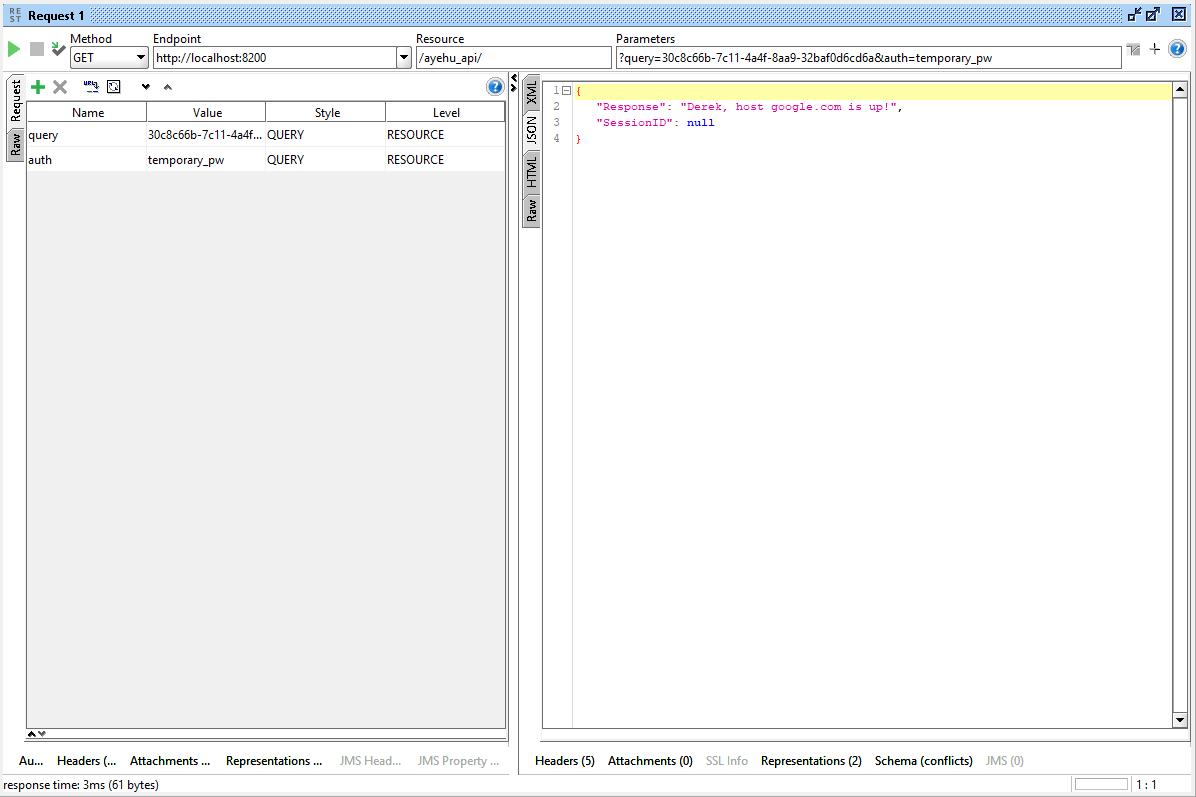
Finally, another GET request is sent with the session ID and Secret password. The response confirms that google.com is up.
Below is a screenshot of the Audit Trail, documenting the successful interaction between the requester and the Web Service API.
